How reliable is Google Maps for EV charging availability?
Google Maps provides fairly reliable data for EV charging availability by integrating real-time information from various networks. Users can often see if a station is currently in use or open. However, occasional discrepancies might occur due to delayed updates or specific charger malfunctions. It is always wise to cross-reference with the charging network’s dedicated app for critical charging needs, especially on long trips.
Can I filter EV charging stations by connector type?
Yes, Google Maps allows users to filter EV charging stations by specific connector types such as CCS, J1772, Type 2, and CHAdeMO. This crucial feature ensures you find stations compatible with your electric vehicle model. You can access these filters within the search results for EV charging, making it much easier to locate appropriate charging infrastructure. This saves valuable time and prevents arriving at an incompatible station.
Does Google Maps show free EV charging stations?
Google Maps can indicate free EV charging stations if that information is provided by the network or community. While there isn't a direct "free charging" filter, many locations offering complimentary charging might have it specified in their details. Users often share this information through reviews and updates. Checking the station details page after searching for "EV charging" will reveal pricing information or indicate if it is free.
How accurate are EV charging speeds displayed on Google Maps?
The EV charging speeds displayed on Google Maps are generally indicative and based on reported station capabilities. These speeds can vary in practice due to factors like the charger's current load, battery state of charge, and vehicle specific limitations. Fast chargers (DCFC) are typically noted as such. Users should review detailed information within the app and consider community feedback for real-world performance expectations.
Can Google Maps help plan long EV road trips?
Absolutely, Google Maps is increasingly capable of assisting with long EV road trips. It allows drivers to add multiple charging stops to their route. While it may not automatically optimize for the fastest charging sequence like some dedicated EV trip planners, it provides crucial location and filter data. Integrating this with your vehicle's range estimation and battery management helps in effective journey planning.
EV charging stations map, electric car charging points, Google Maps EV finder, public EV chargers, find EV charging near me, EV route planner, Tesla Supercharger map, ChargePoint locations, EV travel guide, electric vehicle infrastructure, fast charging stations, EV trip planning.The rise of electric vehicles has reshaped how drivers plan their journeys across the United States. Finding reliable EV charging stations is crucial for worry free travel. Google Maps has become an indispensable tool offering detailed insights into available charging infrastructure. This comprehensive guide explores how to effectively utilize Google Maps to locate, navigate to, and understand the various types of EV charging options. From fast chargers to standard Level 2 connections, drivers need up-to-date information to ensure their electric vehicle is always ready for the road ahead. We will delve into specific features within the app that enhance the electric vehicle driving experience making long distance travel more accessible and less daunting for EV owners. Discover the best practices for finding charging points on your daily commute or an epic cross country adventure. Stay powered up and confident with smart navigation. Navigational details are essential for current and future EV drivers.
- How do I find nearby EV charging stations on Google Maps? - Open Google Maps, type 'EV charging stations' into the search bar, and it will display available chargers near your current location. You can then filter results by connector type, charging speed, and network to find suitable options for your electric vehicle. Real-time availability is also often shown.
- Can I filter EV chargers by speed or connector type in Google Maps? - Yes, after searching for 'EV charging stations,' look for the 'Filters' option. You can then select specific connector types like CCS, J1772, or Tesla, and filter by charging speeds like 'Fast Charger' or 'Level 2.' This helps match stations to your vehicle's needs.
- Does Google Maps show real-time availability for EV charging points? - Google Maps often integrates real-time availability data from various charging networks, showing if a charger is in use or available. However, this feature's accuracy can vary depending on the network providing the data. Always cross-reference with the charging provider's app for critical information.
- How accurate are EV charging costs displayed on Google Maps? - Google Maps aims to provide accurate EV charging costs, but prices can fluctuate based on time of day, network provider, and membership status. The app typically displays estimated costs or general pricing tiers. For precise, up-to-the-minute pricing, checking the specific charging network's app or website is recommended.
- Can I add EV charging stops to my route in Google Maps? - Yes, you can add EV charging stops to your route in Google Maps by searching for a charging station and then selecting 'Add stop' after choosing your destination. While it doesn't always optimize for the most efficient charging, it allows for manual planning. Dedicated EV route planners offer more advanced optimization features.
- What is the best way to plan a long EV road trip using Google Maps? - For long EV road trips, use Google Maps to identify charging hubs along your intended route. Incorporate these as intermediate stops, checking connector types and estimated charging times. Supplement with dedicated EV trip planning apps like A Better Routeplanner (ABRP) for optimized charging schedules, considering your EV's range.
- Are there any tips for using Google Maps for EV charging in rural areas? - When using Google Maps for EV charging in rural areas, it's crucial to plan ahead. Search for stations well in advance and check user reviews for reliability. Consider downloading offline maps for areas with spotty signal. Always have a backup charging plan, as rural infrastructure can be less dense and less reliable.
Are you an electric vehicle owner often wondering, "Where are the nearest EV charging stations on Google Maps?" As of August 2026, navigating the evolving landscape of electric vehicle charging has become significantly easier for drivers across the United States. Google Maps continues to enhance its features, making it an essential companion for finding reliable power sources for your EV.
This comprehensive guide helps you master Google Maps for all your EV charging needs. Understanding its powerful search and filtering capabilities ensures you always locate compatible chargers. Whether you are on a daily commute or planning an ambitious cross-country road trip, knowing how to leverage this technology is key to a smooth journey.
Mastering EV Charging Station Search on Google Maps
Finding an EV charging station is straightforward when you know the right steps. Google Maps offers robust search functionalities that cater specifically to electric vehicle drivers. You can quickly pinpoint available chargers nearby or along a planned route, saving precious time and alleviating range anxiety.
Step-by-Step: Locating Chargers with Ease
Locating chargers begins with a simple search in the Google Maps application. Enter "EV charging stations" into the search bar, and the map instantly populates with relevant locations. The app then provides an overview of various stations. This immediate visual feedback is incredibly helpful for quick decision-making.
- Open Google Maps and type "EV charging stations" into the search bar.
- The map will display charging locations, often indicating real-time availability.
- Zoom in on specific areas to see more detailed station clusters.
Advanced Filters: Tailoring Your Search
Google Maps truly shines with its advanced filtering options, which are critical for electric vehicle owners. These filters allow you to narrow down results based on your vehicle's specific requirements. This ensures compatibility and efficiency for every charging session, avoiding frustrating detours.
- Tap on the "Filters" option after your initial search to customize results.
- Filter by "Connector type" (e.g., J1772, CCS, CHAdeMO, Tesla NACS).
- Choose "Charging speed" to prioritize Level 2 or DC Fast Chargers.
- Select "Network" if you prefer specific providers like ChargePoint or Electrify America.
Using these filters effectively means you will only see stations that truly meet your needs. This precision is invaluable for electric vehicle owners. Moreover, Google Maps continuously updates its data, reflecting the rapid growth of EV infrastructure nationwide, including new stations projected for late 2026.
Planning Your EV Road Trip with Google Maps
Long-distance travel in an electric vehicle requires careful planning, and Google Maps is an indispensable tool for this purpose. Integrating charging stops into your itinerary minimizes downtime. Strategic planning makes the most of your journey and battery life.
Integrating Charging Stops into Your Route
When planning a road trip, you can add multiple stops, including charging locations. This feature helps visualize your entire journey with charging points. It provides a clearer picture of travel times. Drivers can manage their range effectively, reducing stress.
- Start by setting your final destination in Google Maps.
- Search for "EV charging stations" along your route or near your planned stops.
- Select a suitable charging station and choose "Add stop" to incorporate it.
- Repeat as necessary to ensure sufficient charging opportunities throughout your trip.
Real-Time Availability and Community Insights
One of Google Maps' most valuable features for EV drivers is its ability to display real-time availability for many charging stations. This helps avoid waiting times. Users can see if a charger is occupied or available. The community-driven review section also offers practical insights from other drivers, providing valuable first-hand information.
- Look for green or red indicators next to charging stations, signifying availability.
- Read user reviews and photos for tips on station reliability, amenities, and potential issues.
- Report any inaccuracies you encounter to help maintain up-to-date information for everyone.
What Others Are Asking?
Is Google Maps good for finding free EV charging stations?
Google Maps can identify free EV charging stations if this information is provided by the site or community. While there isn't a dedicated "free charging" filter, details for many locations will specify if charging is complimentary. Always check the station's description and user reviews for confirmation, as policies can change rapidly. This ensures you do not encounter unexpected fees.
How accurate is Google Maps for EV charging station types?
Google Maps strives for high accuracy regarding EV charging station types, integrating data directly from networks and user contributions. Filters for connector types like CCS, J1772, and NACS are generally reliable. However, it is always wise to double-check the detailed station information and recent user reviews for the most current and precise compatibility. Technology updates constantly.
Can I see amenities near EV charging stations on Google Maps?
Yes, Google Maps allows users to explore nearby amenities once a charging station is selected. You can easily find restaurants, coffee shops, restrooms, or stores within walking distance. This feature is incredibly useful for planning activities during charging downtime, making your wait more productive and comfortable. Simply pan and zoom around the chosen station location.
Does Google Maps integrate with my EV for route planning?
While Google Maps offers excellent general navigation, direct integration for EV-specific route optimization varies by vehicle manufacturer and infotainment system. Many newer EVs now seamlessly display Google Maps. It can factor in battery level and charging stops. However, dedicated EV trip planning apps may offer more advanced battery-aware routing algorithms. Always check your car's system.
What is the future of EV charging information on Google Maps?
The future of EV charging information on Google Maps looks promising, with continuous enhancements expected through 2026 and beyond. We anticipate more granular real-time data, improved predictive availability, and even smarter integration with vehicle telematics. The platform will likely become even more personalized, offering charging suggestions based on driving habits. User experience remains a top priority.
Final Thoughts on EV Charging on Google Maps
Google Maps has firmly established itself as an indispensable tool for electric vehicle drivers, making the search for EV charging stations simpler and more efficient. Its powerful filters and real-time data are transforming EV travel. This ensures drivers can confidently navigate the growing network of electric car charging points across the nation. Embrace these features for stress-free journeys.
Are you fully utilizing all the advanced features Google Maps offers for your EV? What new functionalities would you like to see integrated into the platform to further enhance your electric vehicle driving experience?
Locating EV charging stations on Google Maps, filtering by connector type and speed, real-time availability updates, planning long EV trips, community reviews of charging spots, integrating EV route planning with Maps, future EV infrastructure developments.


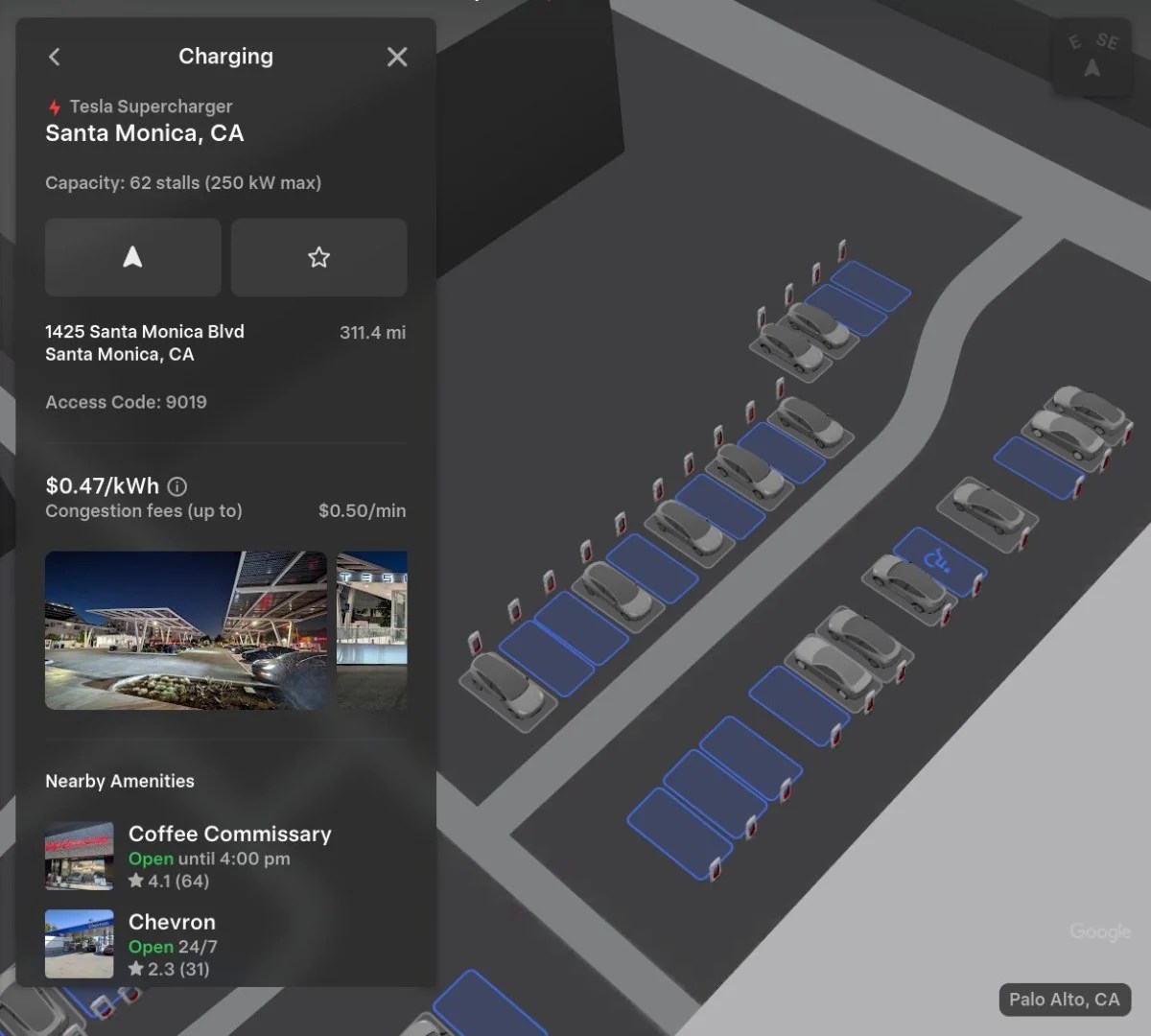

Tesla Network Opens To Rivian R1 Electric Vehicles Tesla Rivian Tesla Access Map . Tesla Updates Map Of Sites Chart . Tesla Stations Map KQZIQ Locations Of Tesla Stations In Red And Future Stations In Gray . Tesla Expands 3D Site Maps To Most U S States LIST Hub 3d Maps . Evbuyer The Best EV Owners Site For News Reviews Buying Selling Tesla Map Non Tesla


Charge Any EV At A Tesla Power Network Soon Open To All Tesla Map 1536x1024 . Tesla Tesla Navigate With Trip Planner 1024x576 . Tesla Network Reaches 40 000 Stalls Around The World Map . Map Of Tesla USA Printable US Maps Interactive Tesla Map Shows Sites Open To Nacs Partners Map Of Tesla Usa . Tesla Map At Randi Mallon Blog Tesla Map North America


-_1728x.jpg)
Polskie Rozkwitn W Ci Gu Nast Pnych Ok 12 Miesi Cy Tesla Map . Tesla S Canadian Network Earns Top Honours At 2026 Canada Map 1024x290 . Tesla Karte Station Tesla QLJJ Tesla Europa 1200x689 . Map For Tesla APK For Android Download Screen 0 . Tesla 3D Site Maps And Network Growth Real Time Visuals Model Y (2) 1728x
)
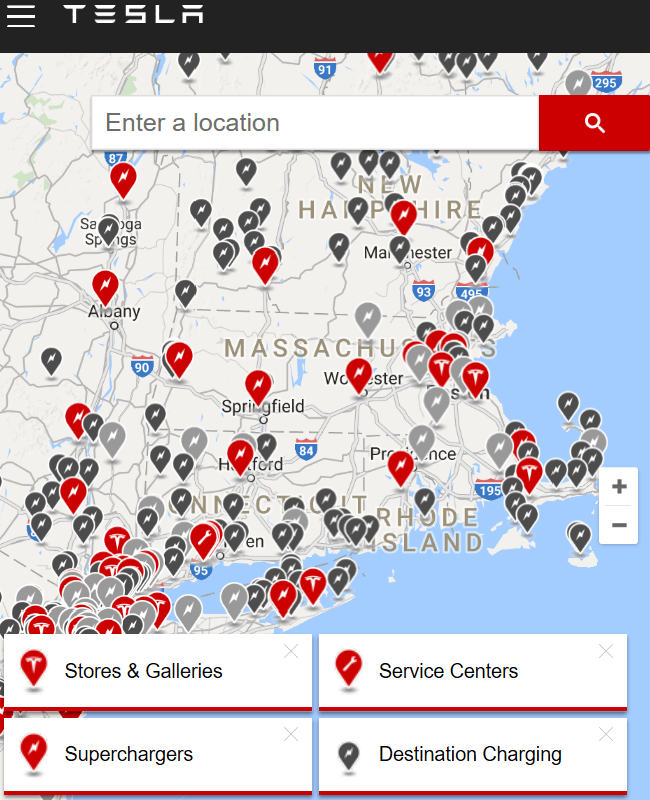

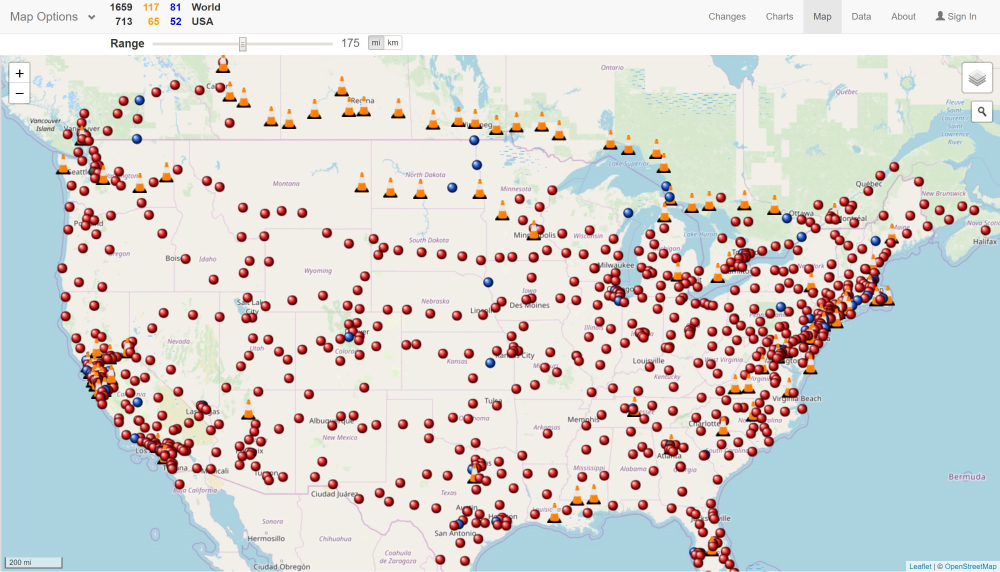
Complete Guide To Tesla EnergySage Filters. Rates Map At Ellis Shepherd Blog Resource 0116 . Map Of Tesla USA Printable US Maps Tesla Map North America Teslarati Map Of Tesla Usa . Tesla Charging Stations Google Maps At Jason Rocha Blog 1 1 . Tesla Network Tesla


Number Of Tesla Locations In The Usa In 2024 Map Of Number Of Tesla Locations In The Usa In 2024 Map Of Tesla Usa . Interactive Tesla Map Shows Sites Open To NACS Partners 20241128 Tesla SC All . How To Find Tesla In Australia Map App Guide 2026 How To Find On A Tesla Map B38a3764 3041 4de7 B5a0 . Tesla Updates Map With Many New Upcoming Stations And Screen Shot 2022 02 03 At 7.15.05 AM . How The Model S Turned Tesla Into A Wake Up Call For The Industry Map


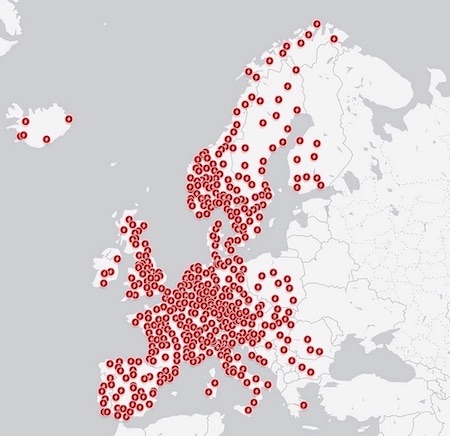
Map Of Tesla In Texas At Deborah Frias Blog . Navigating Arizona S Electric Highway A Guide To Tesla Screen Shot 2013 05 30 At 1.27.44 Pm . Map Of Tesla Network TWABG Tesla Network North American Coverage Map Feb 2017 Graphic Isaac Bowser 100591618 H . Mapa De Estaciones De Carga De Tesla Tesla Map Eu 20171 . Tesla Adds New Locations In BC Alberta And Ontario In 95 Scaled

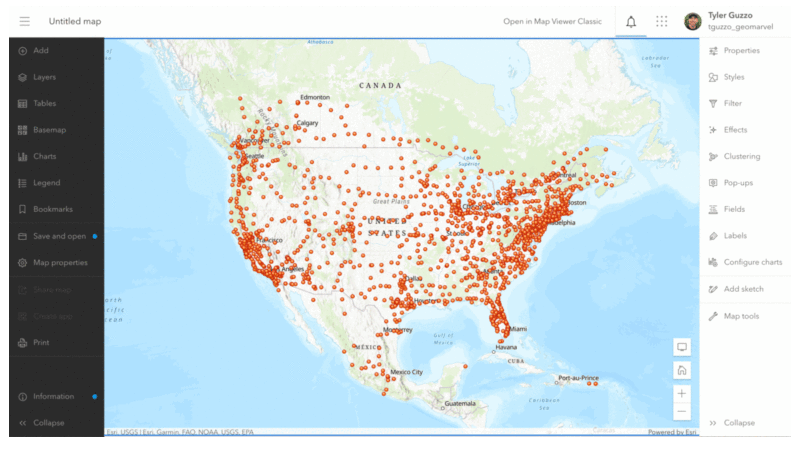


How To Find Tesla In Australia Map App Guide 2026 How To Find On A Tesla Map Step By Step . Tesla Locations GeoMarvel GIF Tesla Status 800x449 . Tesla Site Maps Now Live In Canada What To Know . Tesla Site Maps Now Available In Canada Drive Tesla Etobicoke Site Map . Tesla Map W Planach Ponownie STRYK W Jest LEGNICA Jest Tesla Map Glosowanie Na Nowe Lokalizacje 834x540