Are you a dedicated gamer balancing career, family, and life, seeking to maximize your precious gaming moments on Steam? This comprehensive guide helps you 'crack the code' of Steam, transforming your experience from good to legendary. We delve into smart strategies for finding incredible game deals, optimizing your PC's performance for smooth gameplay, and effectively managing your time so you can truly unwind and enjoy. Discover how to connect with fellow gamers, stay updated on trends without the hype, and make budget-friendly choices for hardware and games. This article provides practical, actionable advice tailored for adult gamers, addressing common pain points like setup frustrations, performance bottlenecks, and finding valuable titles amidst a sea of options. Learn to navigate the vast Steam universe efficiently, ensuring every gaming session is rewarding and fits seamlessly into your busy lifestyle. Embrace a smarter way to game and unlock the full potential of your Steam library, all while maintaining a healthy life balance.
What are the main challenges adult gamers face with Steam?
Adult gamers often struggle with balancing gaming time against work and family responsibilities, finding valuable games amidst a vast library without succumbing to hype, optimizing PC performance on a budget, and connecting with a mature gaming community. They seek efficiency, value, and a stress-free experience from their gaming.
How can I efficiently discover new games on Steam that fit my limited time?
Utilize Steam's 'Interactive Recommender' in Steam Labs, follow trusted Steam Curators, and filter by game length or genre on third-party sites like HowLongToBeat.com. Focus on indie titles or roguelikes known for shorter, self-contained play sessions that are easy to pick up and put down, making the most of your available free moments.
What are the most common performance bottlenecks for Steam games?
Common bottlenecks include outdated graphics drivers, insufficient RAM (less than 16GB for modern games), slow hard drives (HDDs instead of SSDs), CPU limitations, and poor cooling leading to thermal throttling. Addressing these areas systematically, often starting with driver updates and an SSD, yields the biggest improvements.
Is it safe to link my Steam account to third-party services for game tracking or sales alerts?
Generally, it is safe to link your Steam account to *reputable* third-party services like IsThereAnyDeal.com or SteamDB for tracking sales and game prices. Always ensure these services only request limited, read-only access (e.g., to your wishlist or public profile) and never ask for your Steam login credentials. Exercise caution with any service that seems suspicious or too invasive.
How can I ensure my Steam gaming habits remain healthy and balanced?
To maintain healthy habits, set clear gaming schedules, communicate these with family members, and utilize Steam's play time tracking to monitor your engagement. Prioritize games that offer genuine relaxation or skill-building, rather than those that feel like a chore. Balance gaming with other hobbies, social activities, and responsibilities to ensure it remains a positive and enriching part of your life.
What is the best way to monitor Steam game sales?
Keeping an eye on deals is crucial. Use the Steam Wishlist feature to get notifications. Third-party sites like IsThereAnyDeal.com or SteamDB also track price history and notify you when games on your list hit a new low. Many gamers check weekly during major seasonal sales like the Summer or Winter Sale for the deepest discounts.
How can I balance my Steam gaming with family and work responsibilities?
Effective time management is key. Schedule specific gaming slots, communicate with family about your gaming time, and prioritize shorter gaming sessions or co-op games that fit your schedule. Many adult gamers find success by setting clear boundaries and utilizing Steam's remote play features for flexibility.
Which Steam settings are crucial for boosting game performance?
Beyond in-game graphics settings, tweak Steam's own client settings. Disable hardware acceleration in the client, clear download cache, and ensure your game library is on a fast SSD if possible. Regularly update your graphics drivers and consider using Steam's built-in FPS counter to monitor performance impacts in real-time.
Are there any hidden Steam features that improve the gaming experience?
Absolutely! Explore Steam Collections for better library organization, leverage the Remote Play Together feature to play local co-op games online with friends, and customize your Steam Profile with showcases. The Steam Workshop also offers a massive array of user-created content for many popular titles, "cracking" open new ways to enjoy games.
How do I find new Steam games that fit my specific interests?
Beyond the storefront's recommendations, dive into Steam Labs for experimental discovery tools like the Interactive Recommender and Play Next. Follow curators whose tastes align with yours. Participating in forums and checking gaming news sites focused on indie and niche titles can also uncover hidden gems that align with your desire for relaxation or skill-building.
What are the risks of using unofficial third-party tools with Steam?
Using unofficial third-party tools, especially those that claim to "crack" or modify game files, carries significant risks. This can include potential security vulnerabilities like malware, account bans by Valve for violating terms of service, and unstable game performance. Always stick to reputable tools and understand their functionality to protect your account and PC.
Why is it important for adult gamers to understand Steam's privacy settings?
Understanding Steam's privacy settings allows you to control who sees your game activity, inventory, and profile details. For busy adults, managing online presence is vital. You can adjust visibility for friends, public, or private, helping maintain a balance between social engagement and personal privacy, preventing unwanted interruptions or disclosures.
Life moves fast, especially for adults balancing jobs, families, and endless to-do lists. For many, gaming isn't just a hobby; it's a vital escape, a way to unwind, build skills, and connect with friends. Yet, the vast world of PC gaming, particularly on a platform as massive as Steam, can feel overwhelming. With limited time and a desire for value, how do you truly make the most of your gaming experience without getting bogged down by setup issues, performance woes, or endless scrolling through new releases?
You're not alone. Recent US gaming statistics show that approximately 87% of gamers play regularly, with many dedicated players clocking in 10 or more hours a week. For the average gamer, around 36 years old, these hours are hard-won. This guide is your roadmap to 'cracking the code' of Steam gaming – not through any illicit means, but by mastering the platform's features, optimizing your setup, and adopting smart strategies to ensure your gaming time is always fun, fulfilling, and fits seamlessly into your life. We're here to help you get the most bang for your buck and the most joy from your joysticks.
What Does 'Cracking the Code' of Steam Gaming Truly Mean?
When we talk about 'cracking the code' of Steam gaming, we're not advocating for any illegal activities like game piracy. Far from it. We're talking about unlocking the *full, legitimate potential* of the Steam platform for your personal enjoyment and benefit. This means understanding its features inside and out, knowing how to find the best deals, optimizing your hardware and software for peak performance, and leveraging community tools to enhance your social gaming experience. It's about being a savvy, informed gamer who maximizes value, performance, and enjoyment within the ethical and legal boundaries of the platform.
Unfortunately, the term 'cracking steam games' can sometimes be misunderstood as a reference to illegal software acquisition. It's crucial to understand that downloading pirated games not only harms developers and the industry but also exposes your system to security risks like malware and viruses. It also violates Steam's Terms of Service, leading to potential account bans. Our focus here is exclusively on legitimate methods to enhance your Steam experience responsibly.
How Can I Maximize My Gaming Time on Steam with a Busy Schedule?
For adult gamers, time is a precious commodity. The key to maximizing your gaming time on Steam is efficient planning and smart game choices. First, consider games with shorter session lengths or clear save points that allow you to jump in and out easily. Roguelikes, puzzle games, and many indie titles are perfect for this. Second, utilize Steam's robust organizational tools: create 'Collections' for 'Quick Play' games or 'Relaxation' titles. Third, schedule your gaming. Just like any other hobby, dedicating specific slots in your week can help you commit without guilt. Many adult gamers find success by setting clear boundaries for their gaming sessions, ensuring it's a mindful escape, not a time drain.
Furthermore, explore Steam's Remote Play features. Remote Play Together allows you to share local co-op games with friends online, while Remote Play allows you to stream games from your powerful PC to a less capable device (like a laptop or Steam Deck) anywhere in your home, or even outside your home with a good internet connection. This flexibility means you can squeeze in a quick session while dinner is cooking or during a break from work, making every spare moment count without compromising on your main responsibilities.
What Are the Best Strategies for Finding Value and Deals on Steam?
Finding value on Steam is like a treasure hunt, and 'cracking open' the best deals requires a keen eye and a bit of strategy. Steam is famous for its massive seasonal sales (Summer, Winter, Spring, Autumn) where discounts can reach up to 90%. Always wishlist games you're interested in; Steam will notify you when they go on sale. Beyond the big events, check the 'Daily Deals,' 'Midweek Madness,' and 'Weekend Deals' sections regularly. Third-party sites like IsThereAnyDeal.com and SteamDB are invaluable tools, allowing you to track price history, compare prices across different stores, and set custom alerts for desired price drops.
Consider subscribing to gaming newsletters or following reputable gaming news outlets that highlight upcoming sales and bundles. Humble Bundle and Fanatical often offer fantastic game collections at steep discounts, sometimes including Steam keys. Don't overlook free-to-play titles; many offer robust experiences without an upfront cost. Finally, explore Steam Family Sharing. If you have a trusted friend or family member, you can share each other's game libraries, effectively doubling your game access without extra cost (though only one person can play at a time).
How Do I Optimize My PC's Performance for Smoother Steam Gaming?
Even with a decent setup, 'cracking' your PC's full gaming potential requires some optimization. Start with your drivers: ensure your graphics card (NVIDIA, AMD, Intel) drivers are always up-to-date. This alone can yield significant performance boosts. Next, manage background processes. Close unnecessary applications running in the background while gaming. Within Steam, go to Settings > In-Game and disable the Steam Overlay if you experience performance issues, as it can sometimes consume resources. Also, in Steam's Downloads settings, you can clear your download cache occasionally to prevent potential issues.
For hardware, ensure your games are installed on an SSD (Solid State Drive) rather than an HDD (Hard Disk Drive) for faster loading times. Regularly clean your PC's internals to prevent dust buildup, which can lead to overheating and throttling. Adjust in-game graphics settings – often, a slight reduction in shadow quality or anti-aliasing can drastically improve frame rates without a noticeable visual difference. Consider using tools like MSI Afterburner (for monitoring) or NVIDIA's GeForce Experience/AMD's Radeon Software (for optimal settings suggestions) to further fine-tune your experience. A steady internet connection is also vital for online multiplayer games and cloud saves.
What Are the Easiest Ways to Connect with Other Gamers on Steam?
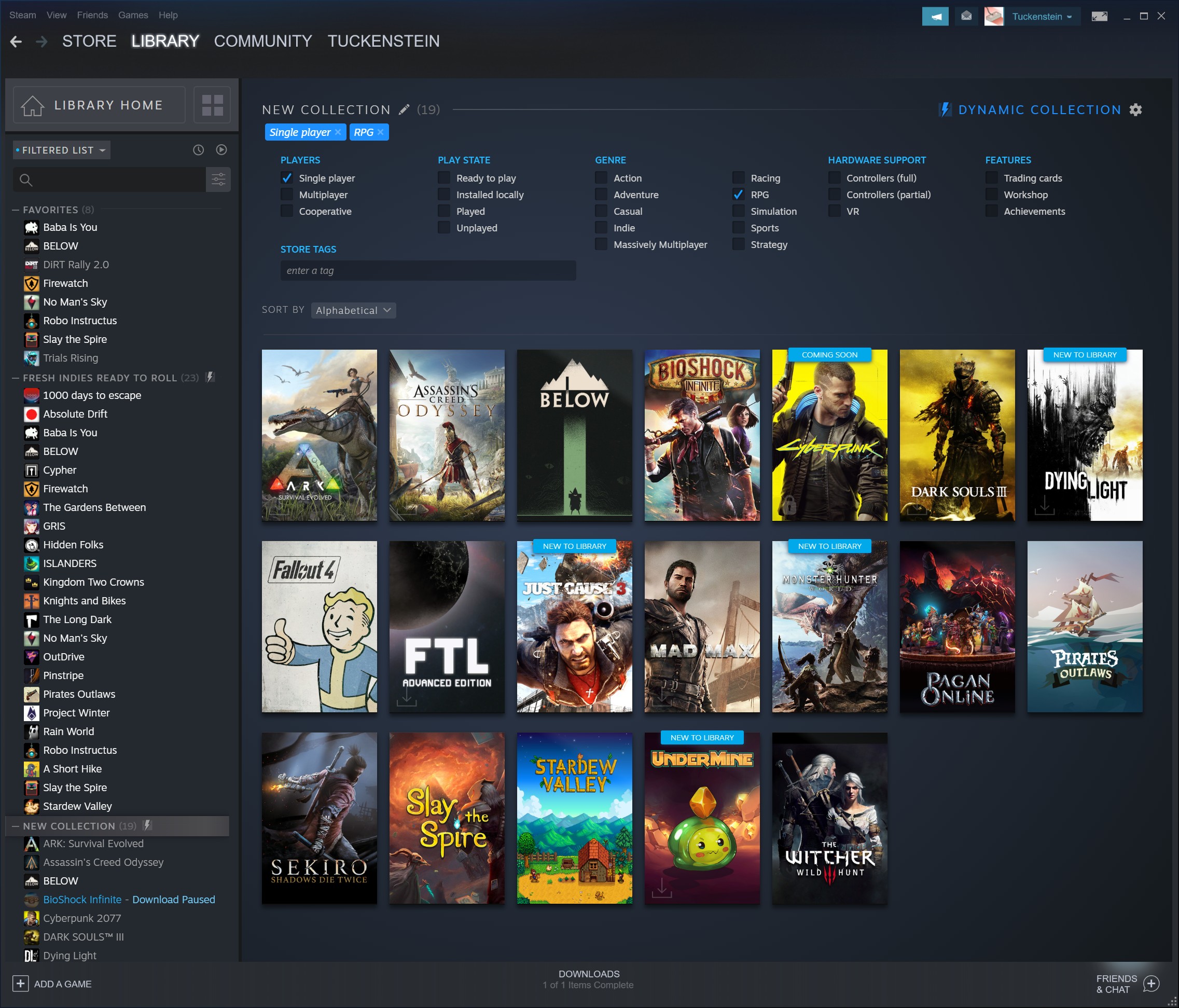
Gaming is often a social experience, and 'cracking' the social code on Steam can enrich your playtime significantly. The easiest way to connect is through Steam's Friends List. Invite people you meet in multiplayer games, or those you know in real life. Once added, you can chat, see what games they're playing, and easily invite them to join you. Utilize Steam Groups: many communities form around specific games, genres, or interests. Joining a group can introduce you to like-minded players and often leads to organized game sessions.
Beyond Steam's built-in features, Discord has become an indispensable tool for gamers. Many Steam communities have dedicated Discord servers where you can voice chat, find groups for specific games, and generally socialize. Look for official game Discords or community-run servers. Participating in Steam's game forums can also be a great way to engage with other players, share tips, and find people to play with. For adult gamers seeking specific communities (e.g., parents who game, gamers over 30), a quick search can often reveal a welcoming group.
How Can I Stay Current with Trending Steam Games Without Hype Overload?
Staying current without getting swept up in relentless marketing hype is a challenge, but you can 'crack' this by being strategic about your information sources. Instead of relying solely on the Steam storefront's prominent placements, delve into Steam Labs. Tools like the Interactive Recommender and Play Next can surface games tailored to your play history, often highlighting hidden gems or older titles you might have missed. Follow a few trusted gaming journalists, content creators, or specific Steam Curators whose tastes consistently align with yours. These voices often provide more nuanced reviews and focus on games that offer lasting value rather than just fleeting trends.
Engage with specific gaming subreddits or forums focused on your preferred genres, where community members often share honest opinions and discuss upcoming titles. Pay attention to 'Early Access' and 'Playtests' on Steam; these offer opportunities to try out games before release and provide feedback, giving you a sneak peek into potentially great games. Finally, remember that 'trending' doesn't always mean 'best.' Focus on what genuinely interests you and provides the type of relaxation or challenge you seek, rather than feeling pressured by what everyone else is playing.
Are There Any Free-to-Play or Budget-Friendly Steam Games Worth My Time?
Absolutely! You can definitely 'crack' the budget barrier and find incredibly rewarding experiences on Steam without spending a fortune. The free-to-play (F2P) market on Steam has matured, offering titles like Dota 2, Apex Legends, Warframe, and Counter-Strike 2, which provide hundreds, if not thousands, of hours of high-quality gameplay. Many F2P games thrive on microtransactions for cosmetics, but the core game experience is entirely free.
Beyond F2P, keep an eye on indie bundles and games with high user reviews during sales. Many older AAA titles become extremely affordable during sales events and still offer fantastic experiences. Websites like PCGameBenchmark.com can help you identify games that run well on your current hardware, ensuring you're investing in playable titles. Steam's 'Under $X' sections during sales are also great for discovering hidden gems that offer immense value. Remember, a game doesn't need to be brand new or expensive to be deeply engaging and fun.
What Are the Essential Steam Features Every Gamer Should Use?
To truly 'crack' the Steam experience, leverage its core features beyond just buying and launching games. The Steam Wishlist is paramount for tracking desired games and sale notifications. Steam Cloud ensures your game saves are backed up online, so you never lose progress across different PCs. The Steam Overlay (Shift+Tab by default) provides quick access to friends, web browser, and screenshots without leaving your game.
Steam Input allows you to customize controller configurations for almost any game, making even keyboard-and-mouse-only titles playable with your favorite gamepad. Steam Chat is a robust messaging system for connecting with friends. For those interested in modding, the Steam Workshop provides easy, one-click installation of user-created content for supported games, massively extending their longevity. Don't forget the Activity Feed, which keeps you updated on your friends' achievements and game activity, fostering a sense of community even when you're not playing together.
When Should I Consider Upgrading My Hardware for Steam Gaming on a Budget?
Upgrading hardware can feel daunting, but you can 'crack' the budget challenge by being strategic. The best time to upgrade is when your current system consistently struggles to run your desired games at an enjoyable frame rate or resolution, even after software optimizations. Instead of a full overhaul, consider incremental upgrades. The GPU (graphics card) usually offers the biggest performance leap for gaming. Monitor tech news for mid-range releases; often, last year's high-end card becomes this year's great value. RAM (memory) is another common bottleneck; upgrading to 16GB or 32GB can significantly improve multitasking and game performance if you're currently lower.
An SSD is a non-negotiable upgrade if you're still on an HDD for your games. Look for sales on these components, especially around major shopping holidays. Before buying, check benchmarks for the specific games you play with the hardware you're considering. Remember, you don't always need the absolute latest and greatest to enjoy Steam games. Many adult gamers find a mid-range system provides an excellent balance of performance and cost-effectiveness, allowing them to 'crack' demanding titles without 'cracking' their wallet.
Why Is Ethical Gaming Important and What Are the Risks of Piracy?
Ethical gaming, which means respecting intellectual property and supporting game developers, is crucial for the health and innovation of the gaming industry. When you purchase games legitimately, you're directly contributing to the creation of future titles and supporting the livelihoods of the artists, programmers, writers, and designers who pour their passion into these experiences. This empowers developers to continue making the games we love. Conversely, actual 'cracking' or piracy undermines this ecosystem, reducing revenue that could fund new projects and potentially leading to job losses within the industry.
Beyond the ethical considerations, engaging in piracy carries significant risks for the individual. Pirated software is a common vector for malware, viruses, and ransomware, which can compromise your personal data, damage your computer, and lead to financial loss. Furthermore, using unauthorized copies of games violates Steam's Subscriber Agreement, which can result in permanent account bans, causing you to lose access to all your legitimately purchased games and associated content. For the busy adult gamer, these risks are simply not worth it. Stick to legitimate channels to protect your system, your account, and the industry you enjoy.
***
FAQ Section
Here are some quick answers to common questions about optimizing your Steam experience.
Is Steam Family Sharing a good way to 'crack' game costs?
Yes, Steam Family Sharing is an excellent and legitimate way to share game libraries with trusted family members or friends, effectively expanding your playable game catalog without additional purchases. However, only one person can play a shared game at a time, and the owner always has priority.
How often does Steam have major sales?
Steam typically hosts four major seasonal sales each year: Spring, Summer, Autumn (Black Friday/Thanksgiving), and Winter (Christmas/New Year). These are the best times to find significant discounts on a vast selection of games, often with site-wide events and special promotions.
What are Steam Playtests and how do they work?
Steam Playtests allow developers to gather feedback on upcoming games from a select group of players before release. You can request access to a playtest through a game's Steam store page, and if accepted, you'll get to try the game for free for a limited period, often providing valuable input to the development team.
Can I 'crack' my Steam Deck's potential with custom settings?
Absolutely. The Steam Deck is highly customizable. You can 'crack' its potential by adjusting in-game settings, using SteamOS performance overlays to fine-tune TDP and GPU clock speeds, and even installing third-party tools like Decky Loader for plugins that enhance functionality and user experience. Experiment to find your optimal balance of performance and battery life.
What are some reliable tools to monitor Steam game performance?
For monitoring performance, reliable tools include Steam's own built-in FPS counter (found in Steam settings > In-Game), MSI Afterburner (for detailed hardware stats and OSD), and NVIDIA's GeForce Experience or AMD's Radeon Software overlays, which provide FPS, GPU usage, and other metrics directly in-game. These help you identify bottlenecks and optimize settings effectively.
Does Steam offer any resources for managing screen time?
While Steam doesn't have a direct screen time management feature like some consoles, you can use third-party Windows tools or your operating system's built-in digital well-being features to set limits on game applications. Steam does provide play time tracking for all your games, which can help you self-monitor your usage and make informed decisions about your gaming habits.
***
So, there you have it. 'Cracking the code' of Steam gaming for busy adults isn't about shortcuts to illicit content, but about smart strategies and informed choices. By embracing legitimate optimization techniques, smart spending habits, and leveraging Steam's powerful features, you can transform your gaming experience into a seamless, rewarding part of your life. No more performance headaches, no more buyer's remorse, just pure, unadulterated fun when you need it most. US gamers, with an average age of 36, value their relaxation time and demand smart solutions. This approach delivers exactly that, ensuring your precious gaming hours are always well spent and deeply satisfying.
What's your biggest gaming challenge on Steam right now? Whether it's finding time, optimizing your setup, or discovering your next favorite game, share your thoughts below. We'd love to hear how you 'crack' your own gaming experience!
Unlock Steam's potential, Optimize gaming performance, Find best Steam deals, Balance gaming with life, Connect with Steam community, Stay updated on game trends, Budget-friendly gaming tips.
35

How To Add Cracked Games To Steam Library 2025 YouTube . 2026 Steam Games Cobcrh . The Top 2026 Games By Steam Wishlists By Rhys Elliott 688cc700 D4c5 483d 8b01 1606x902 . Google To End Steam For Chromebook Beta Program On January 1 2026 Google To End Steam For Chromebook Beta Program On January . How To Stop Cracked Games Opening On Steam 2025 YouTube

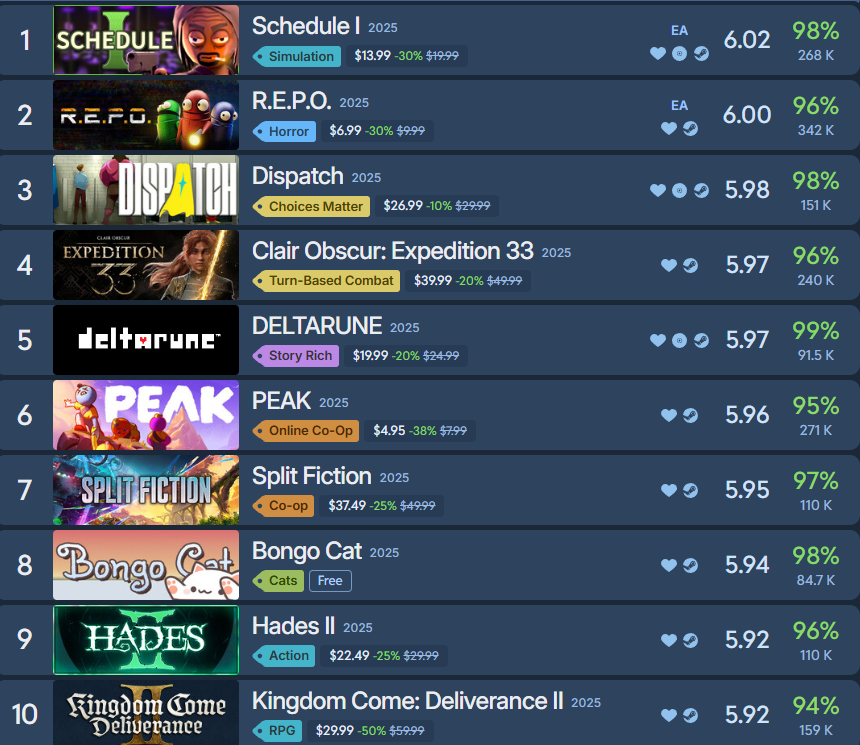

Indies At NG26 Get Noticed On Steam Nordic Game 2026 NG25 Steam. Cracking The Cryptic For Steam The Video Games Museum 142221 Ingame Cracking The Cryptic . Dispatch And Expedition 33 Crack Steam S Top Five Highest Rated Games Image 1834 . 10 Games From The February 2026 Steam Next Fest You Should Check Out SNF Feb 26 Feature 768x384 . Guide To Cracked Steam What You Need To Know 9c8b5f




Axioo 5 Game Yang Akan Rilis Di Steam Tahun 2026 Paling Dinanti Game Steam 2026 . Social Trends Steam Steam Library 3 . Is The Best Place To Download Games Play Them Right . Cracking The Cryptic Steam Charts Steambase Header . Steampunk S Grand Comeback In Gaming Must Play Titles Of 2026 Steampunk Games 2026




How To Get All Games Cracked Steam YouTube . Top 100 Most Followed Steam Games With A 2026 Release Date GameGrin Image 2026 01 11 195034585 . Best Steam Games Of 2026 Steambase Public. The 25 Best Free Steam Games To Play In 2026 GamesRadar . Time Crack Steam Charts Steambase Header




Crack It Up Prologue Steam Charts Steambase Header . Best Steam Games Of 2026 Steambase Header . RPCS3 Brings PlayStation 3 Games To Steam Eliminating The Need To Run Steam RPCS3 . Top 100 Most Followed Steam Games With A 2026 Release Date GameGrin Image 2026 01 11 192034799 . 15 Must Play Free Steam Games For 2025 Perfect For New Gamers YouTube




Top 100 Most Followed Steam Games With A 2026 Release Date GameGrin Image 2026 01 11 192711781 . Top 100 Most Followed Steam Games With A 2026 Release Date GameGrin Image 2026 01 11 192546591 . Top 100 Most Followed Steam Games With A 2026 Release Date GameGrin Image 2026 01 11 192003070 . Crack Playtest Steam Charts Steambase Header . Top 100 Most Followed Steam Games With A 2026 Release Date GameGrin Image 2026 01 11 192227361



Steam Drops 5 New Free Games In March 2026 No Strings Attached Screenshot 2026 03 05 094635 . Crack It Steam Charts Steambase Header . Steam Offers Two Free Games Until January 22 Claim Crown Champion And Steam Offers Two Free Games Until January 22 Claim Crown 860x645 . Installed Crack Game And Now Steam Thinks I Own It What Would Happen Installed Crack Game And Now Steam Thinks I Own It What V0 . Kaiju Cracking Corporation On Steam Capsule 616x353